


Dominoes
4.740.15K Reviews
App Specs
- Version
- 2.5.4
- Updated On
- License
- Free
- Downloads
- 100,000,000+
- Developer
- Loop Games
- Categories
- Board
- Platform
- Android, iOS
Screenshots






 Analysis by AppCompare
I usually turn to a mobile board game when I have a few spare minutes, not when I want another demanding hobby. Dominoes fits that quick-play mood: it brings a familiar tabletop pastime to a phone, with the option to play alone or against other people. My main question while trying it was whether the digital version still rewards careful decisions, or whether it is only a way to pass time. It does offer room to think, though the experience depends on which mode and opponent you choose.
What the purchase details tell you
This is a free board game from Loop Games, rated for Everyone, and the scale of its audience is hard to miss: it has more than 100 million installs and an average rating of 4.7 from around 2.1 million ratings. Those figures suggest broad appeal, but they do not tell me whether a particular match will suit your taste. I’d treat them as a sign that the basic idea is familiar and accessible, not as a guarantee that every feature will be your favorite.
The game includes in-app purchases, with listed items ranging from $0.99 to $64.99. That is useful context before installing, especially if you share a device or let a child play. The game itself is free to start; I would not assume that a purchase is needed to enjoy a casual round, nor would I assume that every extra is purely cosmetic. I’d check the purchase screen carefully and use the device’s purchase controls if you want to avoid accidental spending.
How pressure builds during a match
Dominoes looks simple because its pieces are easy to read, but choosing what to play is where the pressure comes from. A move can keep your options open, or it can leave you relying on a number you may not draw again. I find that this small push and pull gives even a short session a satisfying edge: you are not just placing tiles, you are weighing what the board might look like a few turns later.
The app’s different modes matter here. Classic play is a comfortable starting point, while All Fives and Block Dominoes change the decisions you need to make. That variety helps the game feel less like one repeated puzzle. If you are new, I’d start with the mode whose rules you already know, then try another after you have a feel for how the app presents legal moves. If you are playing with someone who has a different house-rule tradition, agree on the mode before beginning rather than discovering a mismatch halfway through.
Fair play, opponents, and spending
Playing against the AI is handy when I want a quiet round at my own pace, and difficulty choices give solo play a way to feel more or less demanding. Online multiplayer changes the mood: another person can make surprising choices, which is more engaging than relying on a predictable routine. The game also offers friend matches and random opponents, so you can choose between a familiar rival and a less predictable one.
From a fairness point of view, I would separate the game’s strategic challenge from what I can establish about its paid extras. The purchase range is visible, but it does not explain how purchases interact with play or whether they affect competitive balance. I therefore wouldn’t claim that paying makes a player stronger, or that every match is free of advantages. If competitive fairness is your priority, try a few matches without spending and decide whether the experience feels comfortable before buying anything.
Worth Reading Before You Choose

Flipboard Shows What News Apps Must Do Beyond the Feed

Switching to Android Auto Means Rethinking Your Driving Routine

Google Calendar Makes a Crowded Week Easier to Manage

Ludo King Makes the Most of the Minutes Between Plans

Baby Panda World Brings Quick Play to Modern Phones, but Its Game Library Feels Busy

ESPN’s Live Game View Makes Following Close Games Easier
What I would check before settling in
Version 2.1.4 is the current release, and the minimum operating system listed for compatibility is 7.1. The game launched on August 14, 2018, so it has had a long life as a mobile option. Those details are helpful when checking whether an older phone can run it, but they do not answer every practical question about how it will behave on your particular device or connection.
I would also keep expectations measured around online play. A chat option can make a match feel social, but it may not be what everyone wants from a quiet board game; I’d look for the available controls and use them to shape the experience. Likewise, a high rating and a large player base cannot tell you whether the current pool of opponents is active at the moment you play. If you mainly want reliable face-to-face play with no connection involved, the app’s solo option is the safer fit than depending on a live opponent.
Who will enjoy it, and who may prefer a table
I’d recommend this to someone who already likes dominoes and wants a convenient way to play during a commute, a lunch break, or a wait at an appointment. A realistic use is a short solo game while waiting for a friend: you can focus on the board without arranging a full table or asking anyone else to learn the rules. It can also suit a family that wants to introduce the game to younger players, since the age rating is Everyone, though I’d still supervise purchases on a shared device.
It is less ideal if what you value most is the tactile social side of dominoes: handling tiles, reading a partner’s reactions, or chatting around a table. A physical set is better for that, and it avoids the uncertainty of online opponents and in-game spending. For a different kind of digital board-game session, a turn-based game with longer planning may be more satisfying; this one is at its best when you want familiar rules and a match you can dip into rather than a deep campaign.
Getting Started with Dominoes
First things first, downloading the app is a breeze. Available on both Android and iOS, you can snag it from your app store in a jiffy. Once installed, you’re greeted with a neat and user-friendly interface. It’s like walking into a cozy game room where everything is laid out just right. The app offers several modes, including Classic Dominoes, All Fives, and Block Dominoes, ensuring you won’t ever get bored.
Playing the Game
Jumping into a game is as easy as pie. I tried out the Classic mode first, which is exactly what you’d expect—a straightforward, no-frills domino game. The controls are intuitive: just drag and drop your tiles onto the board. What’s cool is that the app provides hints if you’re stuck, but it doesn’t feel like it’s holding your hand too much. It’s a nice balance that keeps the game challenging yet accessible.
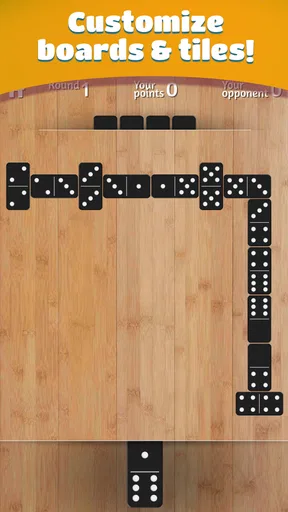
The graphics are sleek, with a clean design that doesn’t distract you from the game itself. And the sound effects? On point. It’s like you’re sitting at a real table, the satisfying clink of tiles filling the air as you play. It’s these little touches that make the experience feel authentic.
Features Worth Mentioning
Now, let’s talk features. One of the standouts for me was the online multiplayer mode. You can challenge friends or face off against random opponents from around the world. It’s a fantastic way to test your skills against real people, and the matchmaking is pretty quick. If you prefer flying solo, the AI opponents come in varying difficulty levels, so you can always find a match that suits your skill level.
An unexpected gem is the chat function. It’s perfect for a little friendly banter or even strategizing with your partner in team games. Plus, the app tracks your stats, so you can see how much you’ve improved over time. It’s a great motivator to keep playing and honing your skills.
Customization and Personalization
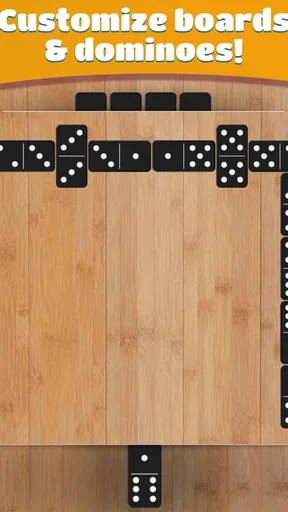
If you’re anything like me, you love a bit of personalization. The Dominoes app doesn’t disappoint. You can choose from various themes and tile designs to make the game truly yours. Whether you’re in the mood for a classic wood look or something more modern, there’s an option for you. Customization extends to the rules as well—you can tweak them to match your favorite way of playing.
Performance and Accessibility
On the technical side, the app runs smoothly without any hiccups. I didn’t encounter any lag, and the battery drain was minimal, which is a huge plus for those long gaming sessions. The app is also accessible for players of all ages, with clear instructions and an easy-to-navigate menu.
For those who might need it, there’s an option for larger text and high contrast settings, making the game more accessible to players with visual impairments. It’s great to see inclusivity in action, ensuring everyone can enjoy the game.
Wrapping It Up
All in all, the Dominoes app is a fantastic way to enjoy this timeless game on the go. It’s packed with features that cater to both casual players and those looking for a more competitive experience. The combination of sleek design, smooth gameplay, and robust multiplayer options makes it a must-have for any domino enthusiast.
If you’re ready to dive into the world of digital dominoes, I’d say go for it. Whether you’re looking to kill some time or engage in epic matches with friends, this app has you covered. Happy playing!
One practical way I use a hint is as a learning aid, not as an automatic move button. Before accepting the suggestion, I look at the open ends and ask what I would have played without help. That turns a prompt into a chance to notice a pattern, while still leaving the decision with me. If you already know the rules well, you can ignore hints and treat the board as a clean test of your own choices.
For a newcomer, a useful routine is to play a few solo rounds first, then move online once tile placement and the selected rules feel familiar. This avoids spending the first multiplayer match learning where to tap or wondering why a legal move differs from the house rules you know. After a match, the tracked stats can help you notice whether you are improving over time, but I would use them as a personal reference rather than a measure of skill against everyone else.
My final impression is that the game’s strongest appeal is convenience paired with recognizable strategy. I’d install it for quick solo practice or occasional online rounds, especially if I already enjoy dominoes. I would choose a physical set for a social evening, and I would hold off on purchases until I had decided that the free experience was worth returning to. That is a straightforward way to enjoy the game without expecting it to replace every part of playing around a real table.
Pros
- Easy to learn for beginners.
- Engaging multiplayer mode.
- Visually appealing interface.
- Customizable game settings.
- Offline play available.
Cons
- Ads can be intrusive.
- Limited game variations.
- Occasional connectivity issues.
- No tutorial for advanced strategies.
- Requires in-app purchases for extras.
FAQs for Dominoes
What types of domino games can I play in this app?
The Dominoes app offers a variety of game modes to suit different preferences. You can enjoy classic modes like Block, Draw, and All-Fives. Each mode has its unique rules and strategies, ensuring there's always something new to learn and master. Whether you're a beginner or a seasoned player, there's a mode for you.
Is the Dominoes app available for both Android and iOS?
Yes, the Dominoes app is compatible with both Android and iOS devices. You can download it from the Google Play Store for Android devices and the Apple App Store for iOS devices. Ensure your device meets the minimum system requirements for optimal performance.
Does the app require an internet connection to play?
The Dominoes app offers both online and offline gameplay. You can play against AI opponents without an internet connection, perfect for practice or on-the-go gaming. However, to play against other users in multiplayer mode, an internet connection is required to connect with other players worldwide.
Are there in-app purchases or ads in the Dominoes app?
The Dominoes app includes in-app purchases and advertisements. Players can choose to purchase premium features, such as ad removal or special themes. While the app is free to download, these purchases can enhance your gaming experience by providing additional content and an ad-free environment.
How can I improve my skills in the Dominoes app?
Improving your skills in the Dominoes app involves practice and strategic thinking. Utilize the tutorial mode to understand the basics, and gradually advance to more challenging levels. Playing regularly against both AI and real opponents will help you develop strategies and enhance your gameplay proficiency over time.


